 Binbert Technology | Computer | Security | Networking | Mobile
In our previous article we explained the steps for windows. Here you can find the steps to identify the service running in a port on linux . Here we used commands “fuser” and “PS”. I am using apache2 web server on port 80. Replace your port number with 80 (my example with port 80 )
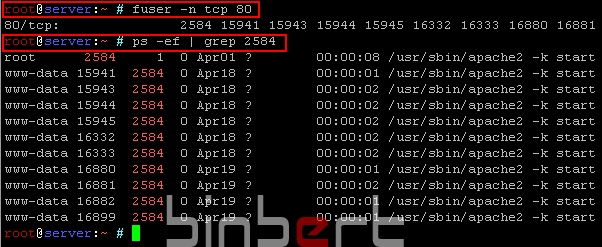
Run following command to find the Process ID from port number
root@server:~ # fuser -n tcp 80
Now you can see the Process IDs associated with this service
80/tcp: 2584 15941 15943 15944 15945 16332 16333 16880 16881 16882 16899
Run the following command to find the service name from process ID
root@server:~ # ps -ef | grep 2584
root 2584 1 0 Apr01 ? 00:00:08 /usr/sbin/apache2 -k start


here is another method to list the process and their associated port and IP
netstat -tunlp
@ Sreenadh,
This is very easy to find the service, Thanks for sharing.