 Binbert Technology | Computer | Security | Networking | Mobile
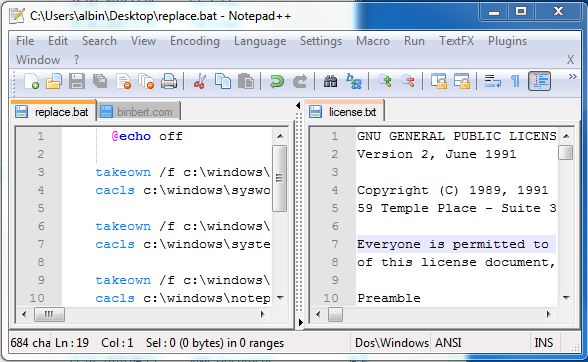
Notepad++ is an advanced text editor. There are lot of features in Notepad++. It support Multiple clipboard, Split screen editing and synchronized scrolling, Drag-and-drop, Tabbed document interface, Spell checker, File comparison, Macros, zooming, It also includes features for source code editing. Advanced users always use this type of text editor. They also want to set this as the default text editor. Here I explained about how to replace default windows text editor with Notepad plus plus.
Installation
Download Notepad ++ from http://notepad-plus-plus.org/download
Install Software for all users
Find the installation folder
Eg: “C:\Program Files (x86)\Notepad++”
Notepad++ launcher
Now you have to download Notepad++ launcher (notepad.exe) from http://wiki.przemoc.net/projects/start#notepad_launcher
Put it in to your installation folder
Replace default Notepade.exe
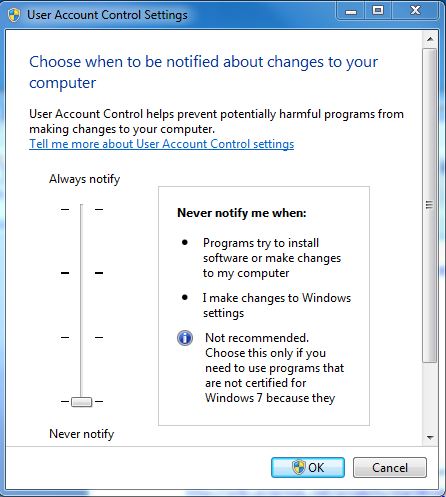
Disable UAC before replacing the windows file (reboot required )
Now copy following script and save it as run.bat in your installation folder
@echo off
 takeown /f c:\windows\syswow64\notepad.exe
 cacls c:\windows\syswow64\notepad.exe /G Administrators:F

 takeown /f c:\windows\system32\notepad.exe
 cacls c:\windows\system32\notepad.exe /G Administrators:F

 takeown /f c:\windows\notepad.exe
 cacls c:\windows\notepad.exe /G Administrators:F

 copy c:\windows\syswow64\notepad.exe c:\windows\syswow64\notepad.exe.backup
 copy c:\windows\system32\notepad.exe c:\windows\system32\notepad.exe.backup
 copy c:\windows\notepad.exe c:\windows\notepad.exe.backup

 copy notepad.exe c:\windows\syswow64\notepad.exe
 copy notepad.exe c:\windows\system32\notepad.exe
 copy notepad.exe c:\windows\notepad.exe
Right click on run.bat and click on “run as”
This script will backup your current Notepad.exe and replace it with the launcher we downloaded ( notepad.exe )
Now windows notepad is replaced with Notepad++



What are the chances to publish the source code for notepad++ launcher?
Sorry :) I’ve already found the source code on GitHub! :)
Thanks for the tutorial, by far the easiest proc I have seen for the N to N++ swap.
Well done!
Worked with the notepad launcher flawlessly