Binbert Technology | Computer | Security | Networking | Mobile
Personas are the themes for firefox. After updating Firefox to 3.6 it start displaying the theme page in next restart. So many of them ( including me ) Just tried out the that firefox Skins. It is pretty good in look and feel. But I am not comfortable with some dark themes. It is too difficult to understand and read the menus. We can change them in a single click. For that just go to www.getpersonas.com and click on the Personas. It will replace the skin with the selected one. But I decided to remove the current Personas and go back to the default firefox theme
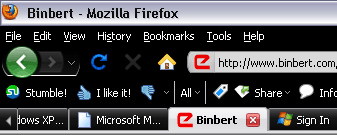
To go back to the Firefox previous Theme
- Go to Tools > Add-ons
- Now select Themes Tab from Add-ons window
- There you can see the list off themes you installed.
- Select Default and press “ Use Theme” Button
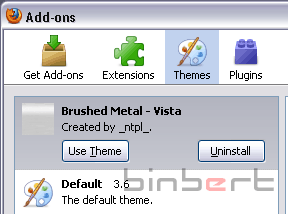
It will change settings to default.
.